Date and Time
Overview
Working with date and time data can be very tedious depending on how the data is needed and used in a problem. Almost all programming languages have supporting libraries to help simplify how we work with this type of information. Maintaining the language agnostic theme of these notes, this appendix will set the framework for how date and time data can be used.
CURRENT DateTime Constants
It is common for programmers to access the current date and time information in solutions. You will need to refer to the keyword "NOW" to access the different attributes of the date and time parts. Below is a table showing all the parts and how you would access specific date and time parts:
| Date/Time Part | Result |
|---|---|
NOW | 2025-06-01 23:59:59 |
NOW::Date | 2025-06-01 |
NOW::Time | 23:59:59 |
NOW::Year | 2025 |
NOW::Month | 06 OR JUNE or JUN |
NOW::Day | 01 OR MONDAY or MON... |
NOW::Hour | 23 |
NOW::Minute | 59 |
NOW::Second | 59 |
Month and Day parts are ABSTRACTED meaning these can represent either the numerical or alpha representations (short or long form). This is for flexibility based on the context in which it is used so it is important your logic and interface refer to what form these values will be used.
Example
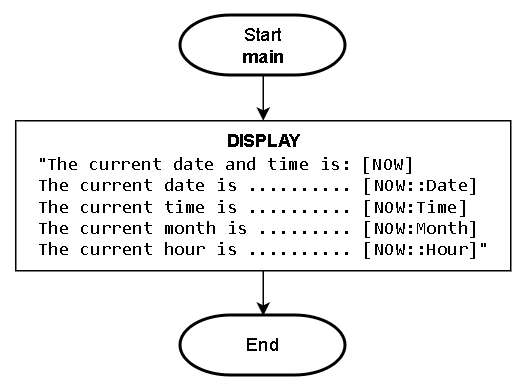
Displaying some CURRENT date and time parts would be done like this:
Pseudocode:
1. DISPLAY:
		"The current date and time is: [NOW]
		 The current date is ......... [NOW::Date]
		 The current time is ......... [NOW:Time]
		 The current month is ........ [NOW:Month]
		 The current hour is ......... [NOW::Hour]"

2. End
Flowchart:
VARIABLE of Date and Time
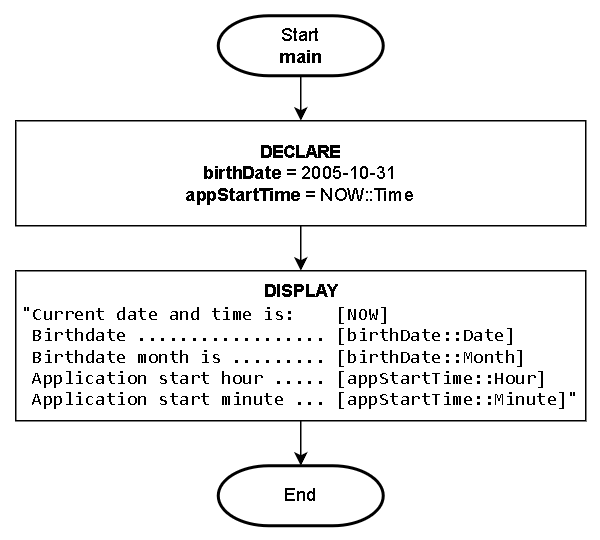
In addition to the CURRENT date and time, we often need to STORE date and time data which will require the use of a variable. Using a variable to access various parts of the date and time data, is identical to the preceding CURRENT date and time section only instead of using NOW, the declared variable will be applied:
Example
Displaying some VARIABLE date and time parts would be done like this:
Pseudocode:
1. DECLARE:
		birthDate = 2005-10-31
		appStartTime = NOW::Time

2. DISPLAY:
		"The current date and time is: [NOW]
		 Birthdate ................... [birthDate::Date]
		 Birthdate month is .......... [birthDate::Month]
		 Application start hour ...... [appStartTime::Hour]
		 Application start minute .... [appStartTime::Minute]"

3. End
Flowchart: