Timer Logic
Overview
Timers are often needed in programming. There are cases when accuracy is very important and other cases where approximation is good enough. This section will be focused on how to accurately apply timer logic.
APPROXIMATE Timer
Many programming languages have libraries to help simplify how time is tracked and implemented in programs. Among the many features, is usually a function that can be used to wait or sleep for a specified duration (an argument would be sent usually in unit seconds or milliseconds). However, such a function is not an accurate implementation of time and is more an approximation. Here's one such example of how it would be used in a NON-CRITICAL timer for 20 seconds:
Example
Flowchart
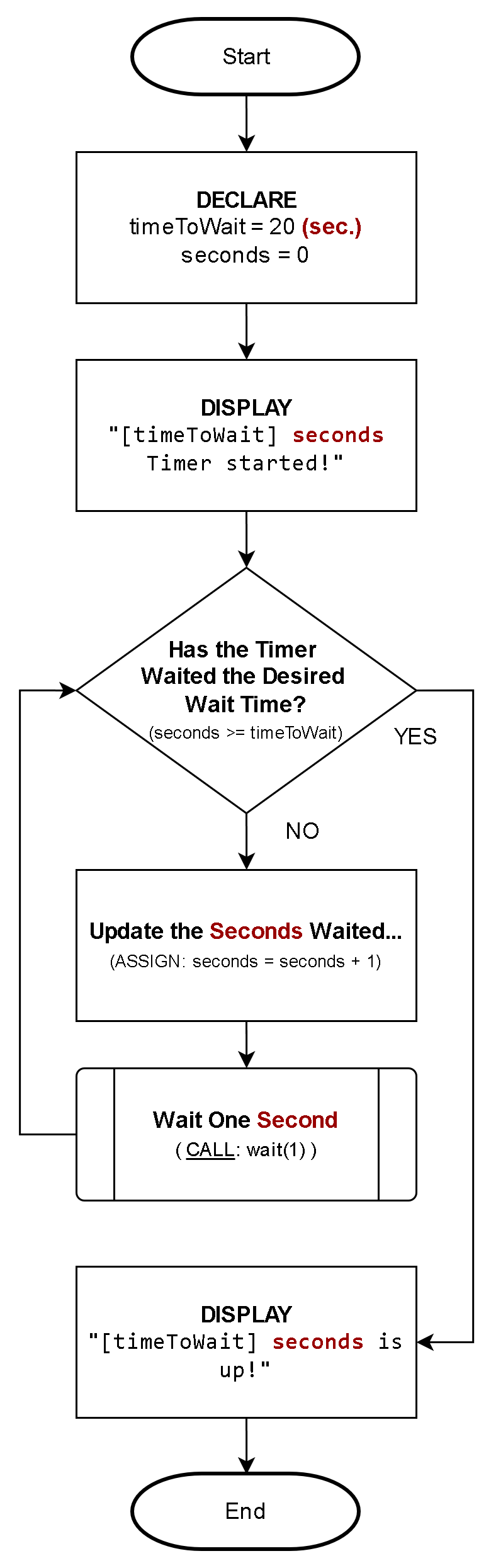
Pseudocode
1. DECLARE:
	timeToWait = 20 (seconds)
	seconds = 0

2. DISPLAY:
	"[timeToWait] seconds Timer started!"

3. Have we waited the desired time?
	A. NO (seconds < timeToWait):
			1. ASSIGN: seconds = seconds + 1
			2. CALL: wait(1)    <=== this will pause the application for 1 second
			3. REPEAT: from step #3

4. DISPLAY:
		"[timeToWait] seconds is up!"

5. End
This example is not accurate because the timer piece of waiting is embedded among other logic (ie: the loop) that takes time to execute in it's own right. Iterating this loop for longer times, will increasingly introduce inaccuracy and actually take longer (more seconds)! There are other factors influencing the inaccuracy as well which ties back to the CPU's architecture (ie: step logic), system power state (ie: laptop on low power vs. performance mode) and other things. So, how can we implement this to be accurate?
ACCURATE Timer
To accurately apply timers, we should use actual time itself! By applying a "stop watch" logical approach, we can accommodate for outside factors that otherwise influence the inaccuracies of the library timer approach.
The first thing we need to do is note the timer start-time which would be set to NOW, then periodically, perform a calculation to determine the time passed since the timer started (based on subtracting the start-time from the current-time). The only influencing factor in maintaining the accuracy in this approach is how often you decide to check for the time passed. The other advantage of this is the unit itself, it is not limited to a programming language library function's unit of measure (usually in seconds or milliseconds) because we can logically test the time duration based on any part of time we wish (ie: hours, days, years)!
The time "unit" is abstracted; this can represent seconds, minutes, hours, days, years etc.. Therefore, you should make this clear based on the the context in which you apply the logic. In the following example, it is clear the unit is based on "seconds" through the messaging and logical context.
Example
Here is how you would set-up an ACCURATE 20-second timer:
Flowchart:
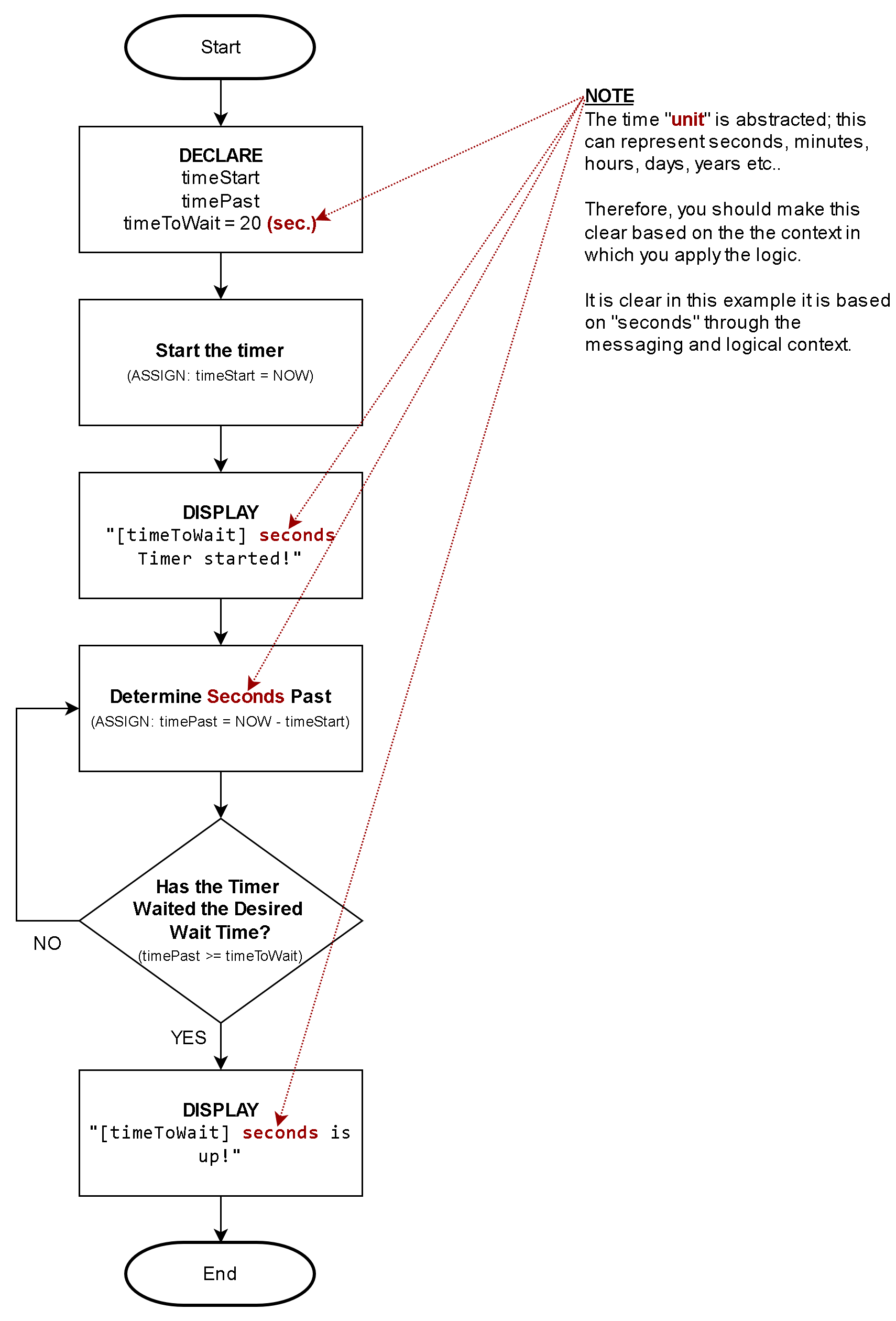
Pseudocode:
1. DECLARE:
	timeToWait = 20 (seconds)
	timeStart
	timePast = 0

2. ASSIGN: timeStart = NOW

3. DISPLAY:
		"[timeToWait] seconds Timer started!"

4. ASSIGN: timePast = (NOW - timeStart) <-- NOTE: The context is in sec.,
                                                  so the result is in seconds

5. Have we waited the desired time?
	A. NO (timePast < timeToWait):
			1. REPEAT: from step #4

6. DISPLAY:
		"[timeToWait] seconds is up!"

7. End